How to send authentication requests to alternative/secondary IP addresses of the RSA Authentication Manager 8.x server
Originally Published: 2017-05-04
Last Modified: 2022-06-20
Article Number
Applies To
RSA Product/Service Type: Authentication Manager
RSA Version/Condition: 8.x
Issue
Tasks
Resolution
- Login to the Security Console.
- Select Setup > System Settings.
- Click Alternative Instance IP Addresses.
- Add the alternativee IP (secondary IP) of the replica in the replica row.
- Click Save.
- (Optional) Generate a new sdconf.rec file and add it to the agent(s).
- Form the Security Console select Access > Authentication Agents.
- Click Generate Configuration File.
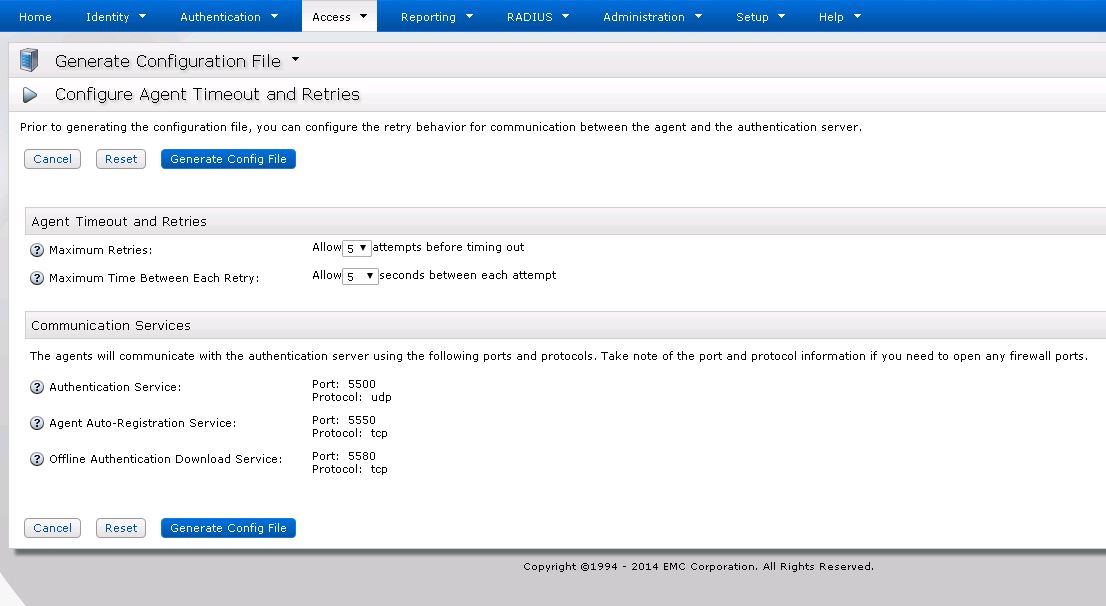
- Click Download Now to download the AM_Config.zip file that is created.
- Open the .zip and extract the sdconf.rec within.
- Deploy the mew sdconf.rec to the authentication agents that need the alternative IP address information.



