How to use the VBScript sample script of RSA Authentication Manager 8.x SDK
Originally Published: 2016-05-08
Last Modified: 2023-10-06
Article Number
Applies To
RSA Product/Service Type: Authentication Manager SDK
RSA Version/Condition: 8.x
Issue
Resolution
Steps
it is already assumed that the RSA Authentication Manager 8.x SDK has been extracted from the am-extras-8.x.0.0.0.zip file (downloadable from RSA Link).
- Download and install the PostgreSQL unicode database driver on a Windows platform.
- Create a read-only user for RSA Authentication Manager internal database access. The RSA Authentication Manager 8.x Developer's Guide (available in the am-extras-8.1x.0.0.0.zip) has a section called "SQL Access to the RSA Authentication Manager Database" that has this procedure of creating a read-only user.
- Make a copy of SQLsample.vbs for your own use. Be sure to keep a copy of the original file.
- Update the AM Database Connection Parameters to match the Authentication Manager primary instance (changing the AM_Hostname, AM_DB_RptUser and AM_DB_RptPass).
- [Optional] Update the Active Directory Identity Source Parameters.
- Make a modification to the AM DB Connection String. Change {PostgreSQL Unicode} to match the PostgreSQL unicode database driver that is found in Windows ODBC; for example: {PostgreSQL Unicode(x64)}.
- Save the changes and run the updated VBScript.
A usage message will appear where no parameters are provided when running the updated VBScript:

An example of running the updated VBScript where 2 is the parameter from the Windows command prompt:
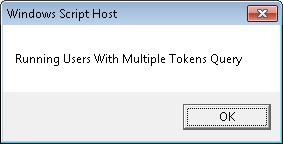

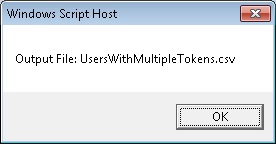
An example of running the updated VBScript where 2 is the parameter from the Windows command prompt:
SQLsample.vbs 2
Notes



