How to create an Aveksa Statistics Report (ASR) in RSA Identity Governance & Lifecycle
Originally Published: 2016-08-08
Last Modified: 2023-10-06
Article Number
Applies To
RSA Version/Condition: 7.x
Issue
There are two ways to obtain this report:
- Through the RSA Identity Governance & Lifecycle user interface.
- At the linux command line.
There are times when the ASR cannot be generated from the user interface. In those cases, the ASR may be generated from the Linux command line and then be retrieved through the user interface. Please see RSA Knowledge Base Article 000027912 -- How to create an Aveksa Statistics Report (ASR) from the linux command line using SQL in RSA Identity Governance & Lifecycle for more information on generating an ASR from the linux command line.
Resolution
In the RSA Identity Governance & Lifecycle user interface:
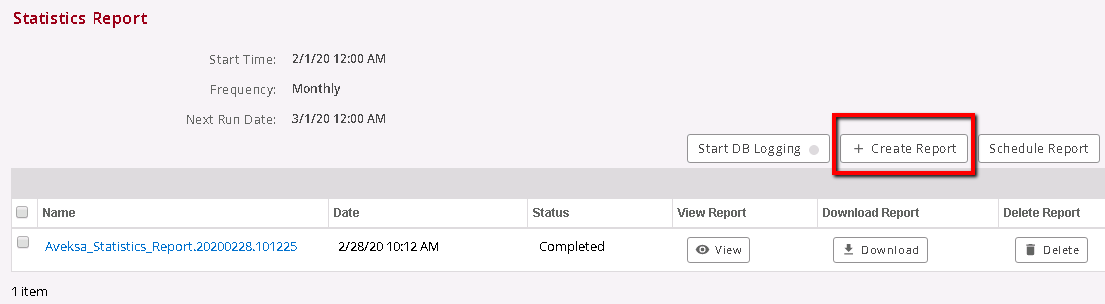
The following is an example of where to generate the ASR taken from an RSA Identity Governance & Lifecycle 7.2.0 system:
7.1.1 and 7.2.0:
- Navigate to Admin > Diagnostics > General tab.
- Under Statistics Report click on Create Report.
- When complete, click Download.
7.1.0 and below:
- Navigate to Admin > System > Diagnostics tab.
- Under Statistics Report click on Create Report.
- When complete, click Download.
The following is an example of where to generate the ASR taken from an RSA Identity Governance & Lifecycle 7.2.0 system:



