DLP How to check the certificate details of a network device
Originally Published: 2015-10-28
Article Number
Applies To
RSA Product/Service Type: Data Loss Prevention, Network
RSA Version/Condition: 9.6, 9.6 SP1, 9.6 SP2
Platform: CentOS
O/S Version: EL6
Issue
A certificate is valid for 730 days and then expires or becomes invalid. This article explain the steps to check the certificate detail of a DLP Network components for certificate expiry.
These other types of changes on a DLP Network components will also invalidate a certificate:
- Resetting the time on any DLP Network components so that its current time shifts out of the range of the certificate start and stop dates.
- Erasure, removal, or regeneration of the private key on any DLP Network components.
- Resetting the Network Controller or regenerating or removing its certificates.
You can regenerate a certificate for a single DLP Network components, for the Network Controller, and for all deployed DLP Network components.
Refer to DLP 9.6 maintenance guide for instruction on regenerate DLP Network components certificate.
Resolution
- Log on to the Network device as tablus user
- From the tabmenu Exit to the shell window by selection option 6) Advanced
- Then select option 1) Exit to Shell from the tabmenu.
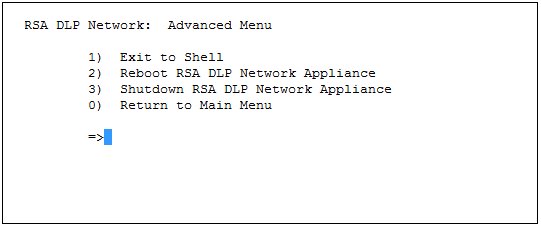
- Type the following command to display the certificate information (e.g.creation date, expiration date, etc,,)
keytool -list -v -keystore /opt/tablus/config/keystore -storepass tablus -alias jetty



