Password Kiosk browser window
Originally Published: 2017-08-04
Article Number
Applies To
RSA Product/Service Type: Appliance
RSA Version/Condition: 7.0.1
Platform: Any
Issue
Client Having issue using Aveksa password kiosk to allow users to reset their passwords.
Clicking on "Reset My Password” should launch your preferred browser with the Aveksa Password Reset form. Howeever here the browser that comes up for the password reset is a normal browser window
pointing to other DLL. Shown below :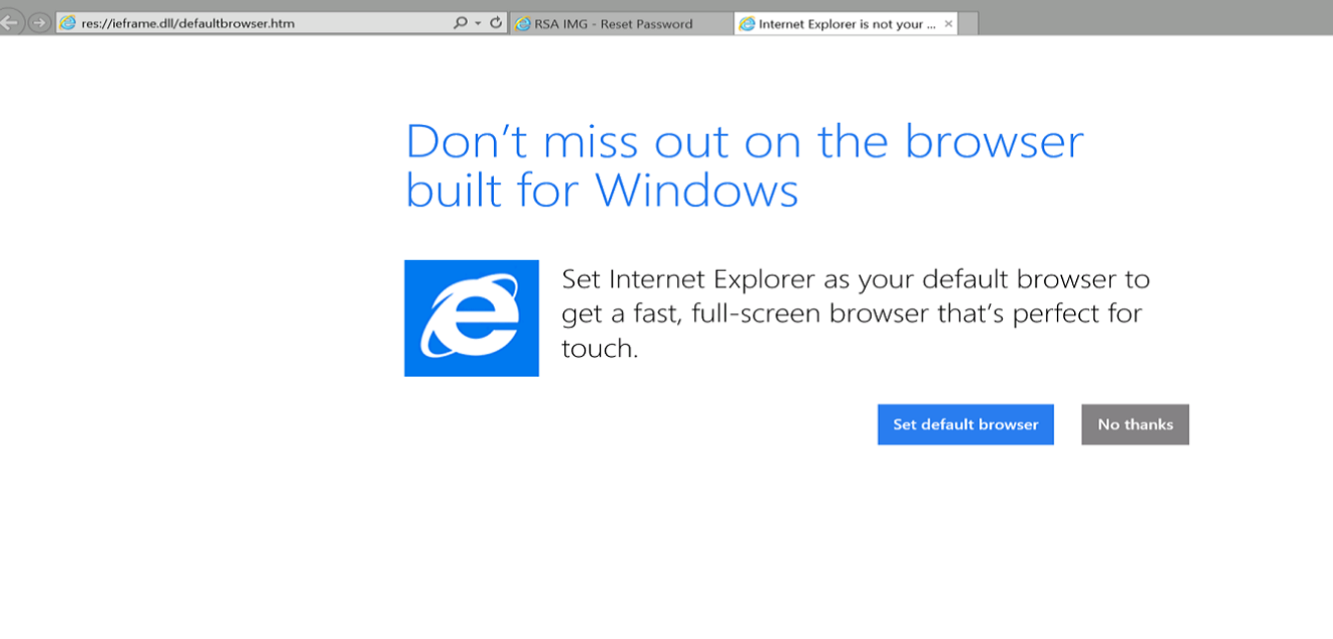
Cause
Its a configuration issue .
The ResetPasswordLink Value in Register.reg file should be "-k https://name of host/aveksa/ " . However the "-k" was missing from the ResetPasswordLink form .
Example shown below :
For Internet Explorer the –k need be added before the hyperlink to use kiosk mode.
(You can define the Browser to your preferred browser in Browser field of Register.reg file.Here in this case we set iexplore )
The location in registry is HKLM\Software\RSA\IMG\Kios should include the settings for Browser, BrowserDirectory, ResetPasswordLink.
The Aveksa Kiosk is a solution that allows enterprises to deploy a login solution that allows reset of passwords for an authorization source for Aveksa Compliance Manager. The Kiosk provides a way to integrate the “External Password Reset” form to a Windows Desktop Login module.
Resolution
Edit the contents of the Register.reg file . Modify ResetPasswordLink by adding -k flag to use kiosk mode.
1] Click on Start button of your windows host/Desktop -- Click Run
2] Type 'regedit' it will launch Registry Editor Window.
3] Select HKLM\Software\RSA\IMG\Kios
4] Select ResetPasswordLink click Edit-Modify from main Menu to Edit String
5] Modify ResetPasswordLink data by adding -k in front of https . –k need to add before the hyperlink to use kiosk mode as:
-k https://gnl.rsa.local/aveksa/unlock?ReqTy
6) Save Registry entries
7) Try/Test password kiosk



